Most of what an internal auditor looks for is the transaction that doesn't fit. Too large for its type. Dated on a Sunday. Entered twice for the same vendor and amount. Approved by the person who created it. Just under the threshold that would have needed a second signature. None of those is proof of anything. Each one is a reason to look, and the job is to find them in a hundred thousand records without reading a hundred thousand records.
The Risk Management and Controls category of my NetSuite AI Prompt Library is five prompts that do the looking. This post goes through them and ends with a run of one against a real account, which turned out to be as much about the audit trail as about the transactions.
If you're new to the library, it's a set of 150 prompts for NetSuite finance work that I released in January. Each one is a structured system prompt that you paste into Claude or ChatGPT along with your NetSuite data, and it turns the model into a specific kind of analyst with a defined method, a required output, and rules about what it's not allowed to make up.
Exceptions
The Exception Transaction Analyzer is the broadest of the five. It casts the model as a senior internal audit analyst and screens six categories: amount exceptions (transactions more than three standard deviations above the mean for their type), timing exceptions (weekends and holidays), approval exceptions (missing or self-approved), user activity exceptions (a user whose volume is far above the norm), policy exceptions (just-below-threshold amounts), and pattern exceptions. Each finding gets a risk level, critical for multiple red flags at high value down to low for a minor policy exception, and an action. Every critical and high finding, every user-specific finding, and every investigation recommendation is flagged for a person. The prompt is explicit that it produces reasons to look, not conclusions.
Fraud Patterns
The Fraud Pattern Detector goes deeper on a narrower set: duplicate payments (under seven days apart is high risk), round-number amounts (over 15% of transactions is high risk), a Benford's Law first-digit test on transaction amounts, segregation of duties violations, timing anomalies, and vendor and payee anomalies such as vendors with employee-like addresses. It's careful with the word. Findings are indicators, high-priority ones go first, and the report says what evidence would confirm or clear each one.
Controls
The Internal Control Evaluator tests controls across the environment, the close, transactions, IT general controls, and monitoring, and grades what it finds on the audit scale: material weakness, significant deficiency, control deficiency, or observation. Its queries cover segregation of duties, transaction approvals, journal entry controls, user access, and reconciliation status. The Financial Compliance Validator is the testing companion: approval limits, segregation of duties, documentation, GAAP treatment, and policy, each with an exception rate that maps to a compliance status. Zero exceptions is compliant, under 5% is substantially compliant, over 15% is non-compliant.
The Heatmap
The Enterprise Risk Heatmap Generator turns the findings into the picture a board expects. Financial, operational, and compliance risks are scored on probability (one is rare, under 5% in twelve months; five is almost certain) and impact, plotted on a heatmap, and listed in a risk register with mitigation priorities. Its queries pull the evidence the scores rest on: revenue concentration, vendor concentration, and receivables aging.
All five are in the NetSuite AI Prompt Library, under Risk Management and Controls. As of this week, the same prompts also run inside Sonar AI, directly against a live account.
Update, September 2026
I ran the Exception Transaction Analyzer prompt from this group against one of my NetSuite test accounts, with the queries executed through Chartstone and the analysis done by Claude, and formatted the report to one of my branding guidelines. Here's what it found.
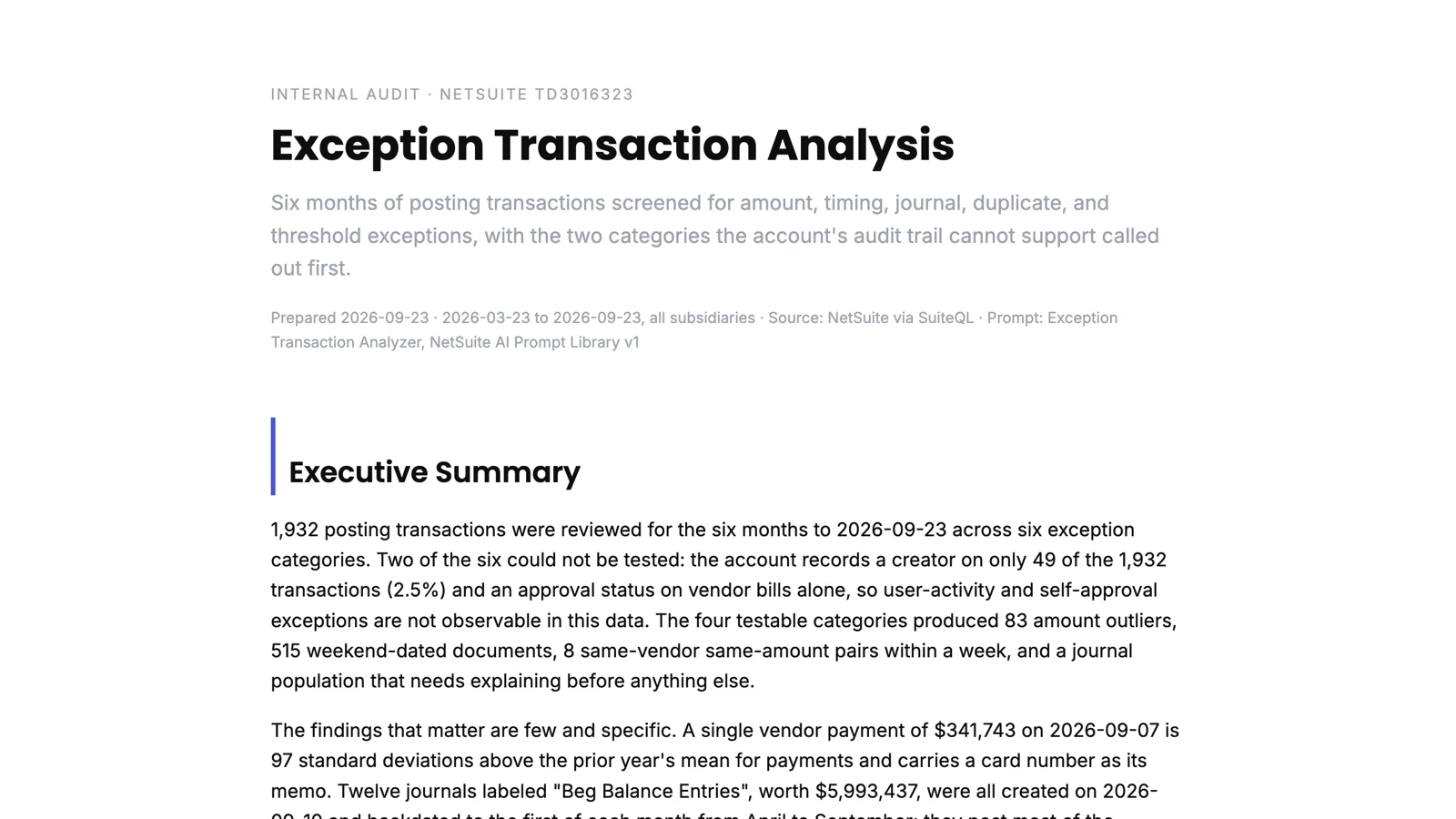
The first finding was about what couldn't be tested. Of 1,932 transactions in six months, the account records who created them on 49. The approver field the prompt looks for doesn't exist, and the creation dates cluster on a few recent days, which is what a bulk data load looks like. So the approval, self-approval, and user-volume tests, three of the six categories, couldn't run. The report put that at the top, before any finding about a transaction, on the grounds that an account that can't say who entered a document can't support a segregation-of-duties test either.
The four categories it could test produced a short list worth reading. A single vendor payment of $341,743 that's 97 standard deviations above the prior year's mean for payments and has a card number as its memo. Twelve journals labeled as beginning balance entries, worth $6 million, all created on the same day in September and backdated to the first of each month from April on; they post most of the account's revenue, and they've now turned up in four different analyses of this account. Three of the largest open customer invoices with memos that read "TEST". And one vendor billed $33,700 three times in a day, two of the bills with system-generated document numbers, which is what a re-entered bill looks like.
What I appreciated was the restraint. Each item has a risk level and an action, and none of them is a conclusion. The prompt says it produces reasons to look, and the report reads that way.
You can read the full report here: Exception Transaction Analysis. The names and numbers are test data.