The month-end close is a sequence of small jobs that all have to be right, in order, under time pressure. Reconcile the balance sheet accounts. Book the accruals and amortize the prepaids. Explain why every line on the P&L moved. Find the step in the process that's holding everything else up. Then prove the whole thing to someone who wasn't there.
The Month-End Close and Reconciliation category of my NetSuite AI Prompt Library is six prompts, one per job. This post walks through them and ends with what one of them found in a real account.
If you're new to the library, it's a set of 150 prompts for NetSuite finance work that I released in January. Each one is a structured system prompt that you paste into Claude or ChatGPT along with your NetSuite data, and it turns the model into a specific kind of analyst with a defined method, a required output, and rules about what it's not allowed to make up.
Reconcile
The Account Reconciliation Assistant casts the model as a reconciliation specialist and produces the document an auditor expects: a header, a summary by account type, a roll-forward from opening to closing balance, reconciling items in detail, a variance analysis, action items, a documentation checklist, and a sign-off block. Its materiality is set in the prompt, over $10,000 or 10% must be explained and cleared, $1,000 to $10,000 should be explained, and under $1,000 can be documented and aggregated, so the model can't decide on its own that a $9,000 difference is noise.
The Bank Reconciliation Analyzer is the same discipline applied to cash. Outstanding deposits, outstanding checks, bank adjustments, unmatched items, and a control assessment. Its healthy state is an unreconciled difference of zero, no items over 90 days, stale checks under 1%, and reconciliation done within five days of month end.
Accrue
The Accrual and Prepaid Expense Calculator does the arithmetic and writes the entries. It computes accruals from open purchase orders and recurring costs, amortizes prepaids from their schedules, and hands back formatted journal entries, an updated prepaid schedule, a reversal schedule, and a summary that ties to the GL. De minimis is $2,500 by default; anything material, over $10,000, must be booked. It's the prompt that turns a spreadsheet nobody wants to maintain into a repeatable step.
Explain
The Flux Analysis Performer is the one most controllers would reach for first. It compares the current period to the prior period and the prior year, line by line, classifies each variance against materiality thresholds, and writes the explanation. Its output order is strict: a summary box, a top variances table, detailed explanations, categorized findings, revenue and expense detail, questions for management, action items, and then the lineage and assumptions. Risk is graded by surprise and size: an unexpected variance over 20% is high risk and needs immediate investigation, 10 to 20% is reviewed within the close, and anything expected or under 10% is documented. Revenue variances over 20% and any unexplained material variance go to a person.
Find What's Stuck, and Prove It
The Close Process Bottleneck Identifier is a process consultant in a prompt. Give it the close calendar and the actual completion times, and it produces a timeline, a bottleneck ranking, a dependency analysis, quick wins, medium-term and strategic improvements, automation candidates, and an optimized calendar. It grades its own suggestions by risk: resequencing is low risk and high confidence, system changes are high risk and low confidence.
The Month-End Close Quality Monitor watches the close from the outside. Adjusting entries by count and by account, entries posted after period end, reconciliation completion, error patterns, and days to close. Under five days is good, over ten is critical; fewer than ten adjustments is good, more than thirty is critical; late entries over 20% of the total is critical. It's the scorecard for the close itself rather than for the numbers.
All six are in the NetSuite AI Prompt Library, under Month-End Close and Reconciliation. One more, the Month-End Close Checklist, is in the free tier.
Update, September 2026
I ran the Flux Analysis Performer prompt from this group against one of my NetSuite test accounts, comparing August 2026 to July, with the queries executed through Chartstone and the analysis done by Claude, and formatted the report to one of my branding guidelines. Here's what it found.
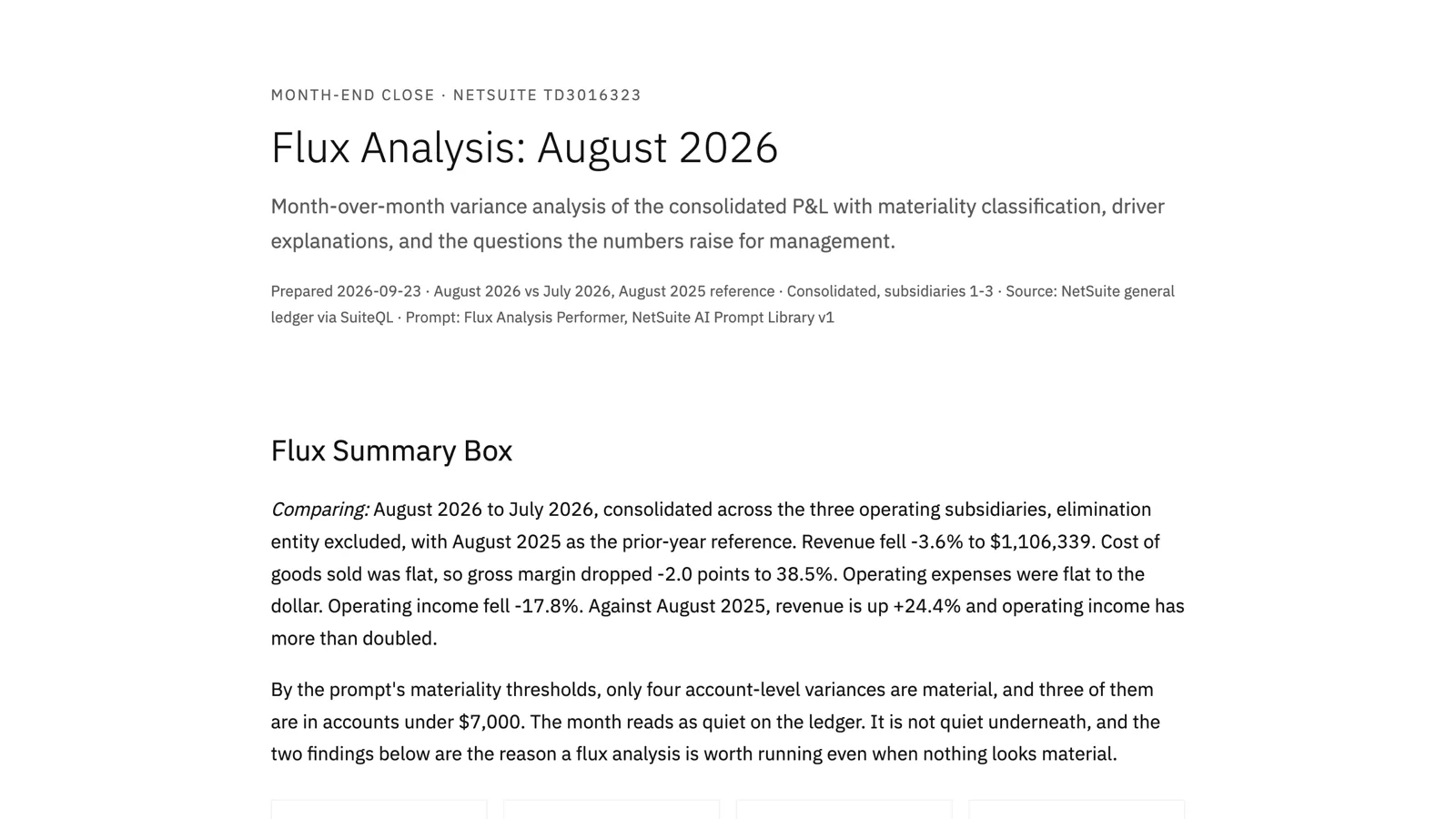
On the ledger, August was a quiet month. Revenue down 3.6%, operating expenses flat to the dollar, only four account-level variances material by the prompt's thresholds, and three of those in accounts under $7,000. A flux review done by eye would have signed off in ten minutes.
Underneath, two things were going on. First, 83% of the month's revenue was posted by two journal entries, one per subsidiary, and those entries grew from July. Revenue from invoices and cash sales, the part you can trace to a customer, fell 22%. The headline was the net of a real decline and a journal increase, and the report put the question of which one management should be managing to at the top of its list. Second, 41 of the 47 operating expense accounts moved by exactly -3.9%, to one decimal place. That's not 41 decisions. It's one driver, and the report said it should be identified before anyone reads the individual lines as cost control.
The rest was ordinary and still useful: gross margin down two points on flat cost of goods, salaries up 8.7% in one month with no payroll detail to say why, and a new $9,140 stock adjustment in a month of falling sales. Five questions for management, four action items, each with an owner.
You can read the full report here: Flux Analysis: August 2026. The names and numbers are test data.