Onboarding a new hire into NetSuite usually means generic tutorials. They teach half of what the person needs, and plenty that they might never touch, and none of it mentions the actual records, accounts, and quirks of the account they'll be working in.
A prompt I added to the Sonar AI Prompt Library last month takes a different approach. It's called the Role-Based Training Builder, and its first rule is the whole idea: the permission set is the syllabus.
If you're new to this, Sonar AI is an AI agent that runs inside NetSuite. Every prompt in the library is a playbook that I engineered and tested against live NetSuite data, and you run it inside your own account, against your own records.
The Permission Set Is the Syllabus
Give the prompt a NetSuite role, and it pulls the role's full permission set, live, from the account. Then it reads the shape of it. The permissions with full access are the role's domain, the things this job owns. The view-only permissions are the context the role consumes: master data, source documents. The transaction permissions say what actually posts under this role, and why.
That shape is teaching content in itself. Full access on fixed-asset records and journal entries, but view-only on vendor bills, encodes a segregation-of-duties boundary: you capitalize, procurement buys. The prompt states the boundary explicitly and teaches the escalation path across it, so a new hire learns to route a miscoded bill to accounts payable rather than work around it.
It never teaches a task the role can't perform, and it never omits a capability the role has. If someone asks for a module on a topic outside the role's permissions, the prompt says so and proposes the nearest in-scope alternative.
Grounded in the Live Account
The second rule is that nothing is invented. Before writing a module, the prompt surveys the account's configuration: the templates and setup records with their defaults, the operational records with counts and named examples, real source transactions for the exercises, and the optional features that turn out to have zero rows and therefore get skipped.
So a lab says "open asset FAM000001 and trace it to bill number 31734," not "imagine a hypothetical asset." The trainee can actually open it. And when the survey finds something wrong, such as an asset type with no posting account or a suspicious default, that's reported as a finding to the administrator and turned into a teaching moment inside the module: read the configuration critically, and escalate what looks off.
Labs run in sandbox, and every lab header says so. Installed-bundle roles often carry setup permissions that a new hire shouldn't exercise, and those get listed with a warning to treat them as read-only until authorized.
What It Produced
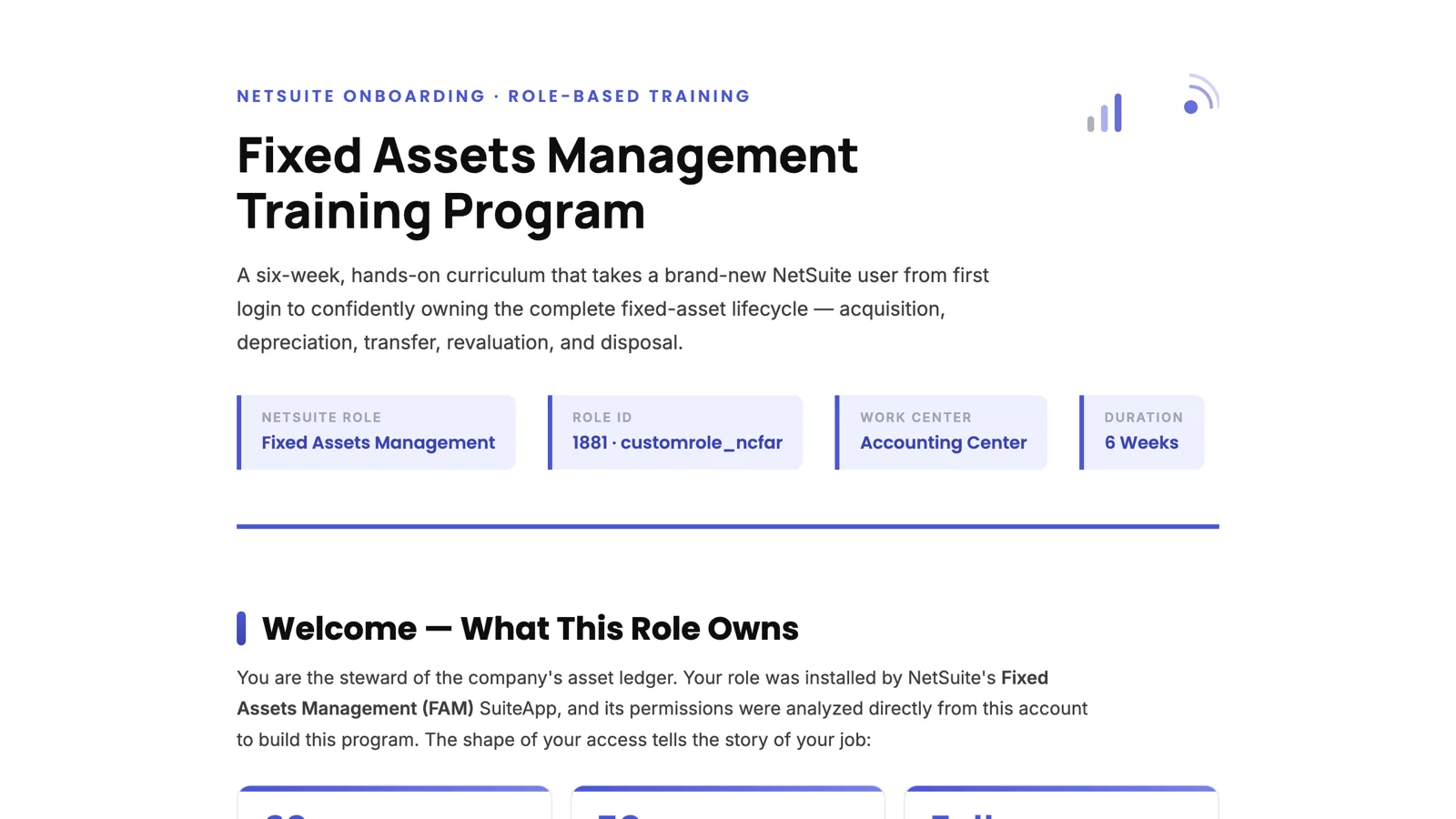
I ran it against one of my NetSuite test accounts for the Fixed Assets Management role, the one installed by NetSuite's Fixed Assets Management SuiteApp. It found 62 permissions: full control over more than thirty FAM record types, full on journal entries and invoices, and view-only on the master data. From that it wrote the one-sentence job description that opens the program: you own everything about an asset after the purchase is recorded and until it leaves the books. Someone else buys it, but you capitalize it, depreciate it, move it, revalue it, and dispose of it.
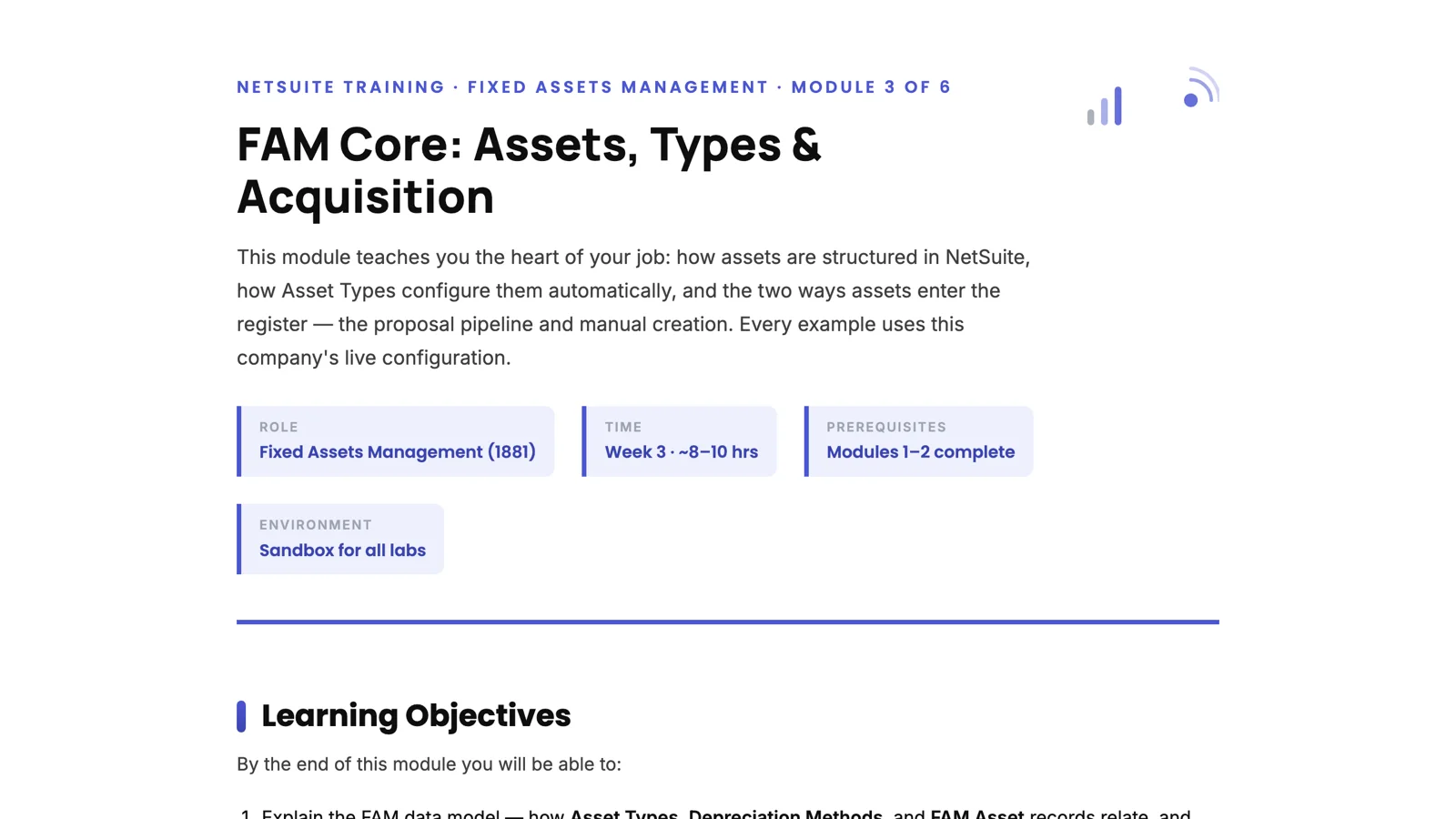
The curriculum is six weeks, from finding your way around NetSuite to shadowing real work in production, with a competency checkpoint at the end of each week. Then I asked for a deep-dive module on the core of the job, and it produced Module 3: assets, asset types, and acquisition.
That module is where the grounding shows. It lists the account's six asset types in a table with their asset, accumulated depreciation, and expense accounts, and it points out the pattern in the account numbers so the trainee can remember it. It notes that 44 depreciation methods are installed but only straight line is used, so the rest get one line. And it flags, as a "read the configuration critically" insight, that every asset type's write-off, write-down, and disposal accounts default to the same expense account, which is a simplification the trainee should know about and accounting may someday want to change.
You can see both deliverables here: the Fixed Assets Management Training Program and Module 3: FAM Core.
One Honest Limitation
There are no screenshots. The prompt can't take them. It compensates with precise navigation paths, global-search shortcuts, and "what you should see" descriptions, and it says in the assumptions box that bundle menu paths shift between versions and that a ten-minute review by someone who knows the module is a sensible quality step. I'd rather the material say that than pretend.
Who It's For
Any organization where NetSuite onboarding is a bottleneck. Growing companies hiring into accounting, accounts payable, accounts receivable, warehouse, or sales operations roles. Businesses running specialized SuiteApps, such as fixed assets or manufacturing, where generic training doesn't exist. NetSuite partners and consultants who deliver client training. And teams where the one person who knows how it works just gave notice.
It's in the paid tier of the Sonar AI Prompt Library now, under "Role-Based Training Builder."