Most NetSuite problems don't start with an outage. They start quietly. A scheduled script fails forty times a day and nobody notices. A payment integration gets paused mid-migration and never finished. A custom field stores a password in plain text. A scheduled job keeps running under an employee who left a year ago.
None of that shows up on a dashboard, because nobody built a dashboard for it. The eight prompts in this post are for the people who keep the instance running, and they share a habit: they go looking for what nobody is looking for. Here's how each one works and what it turned up in my NetSuite test accounts.
If you're new to this, Sonar AI is an AI agent that runs inside NetSuite. Every prompt in the library is a playbook that I engineered and tested against live NetSuite data, and you run it inside your own account, against your own records.
Scripts
SuiteScript Risk & Technical-Debt Inventory answers a question most NetSuite teams can't answer today: which of our scripts will break at the next release, and if one does, could we even reconstruct what it was supposed to do? It inventories every script in the account, with particular attention to SuiteScript 1.0 and plug-in implementations on the money path (payment gateways, custom GL lines, tax), and ranks each on two axes: the likelihood of breaking, and the difficulty of rebuilding it once it does. Then it enriches the ranking with live evidence: deployment status, runtime error logs, and payment-gateway activity, so that it can separate what's dead from what's quietly half-alive.
The test account had 781 scripts, and 421 of them, 54 percent, were on SuiteScript 1.0. Ninety-two of those had no active deployment, and all 13 plug-in scripts were 1.0. The runtime error logs were quiet, with errors on only four scripts, which the report read correctly: the risk in this account was latent, not active. Nothing was on fire, which is exactly the window in which migration is cheapest.
The finding I'd have missed by hand was a payment gateway that everyone assumed had been decommissioned. The processing profile was still active but running in test mode, with 26 gateway events, the most recent a day before the scan. Its user event script was still deployed on invoices and sales orders, and the gateway plug-in was released, while about 45 of its 53 satellite scripts had been undeployed. Someone had paused a migration mid-flight, and nobody finished it. The report's verdict was "a half-live integration in test mode," and every issue came with an estimated cost in hours to fix.
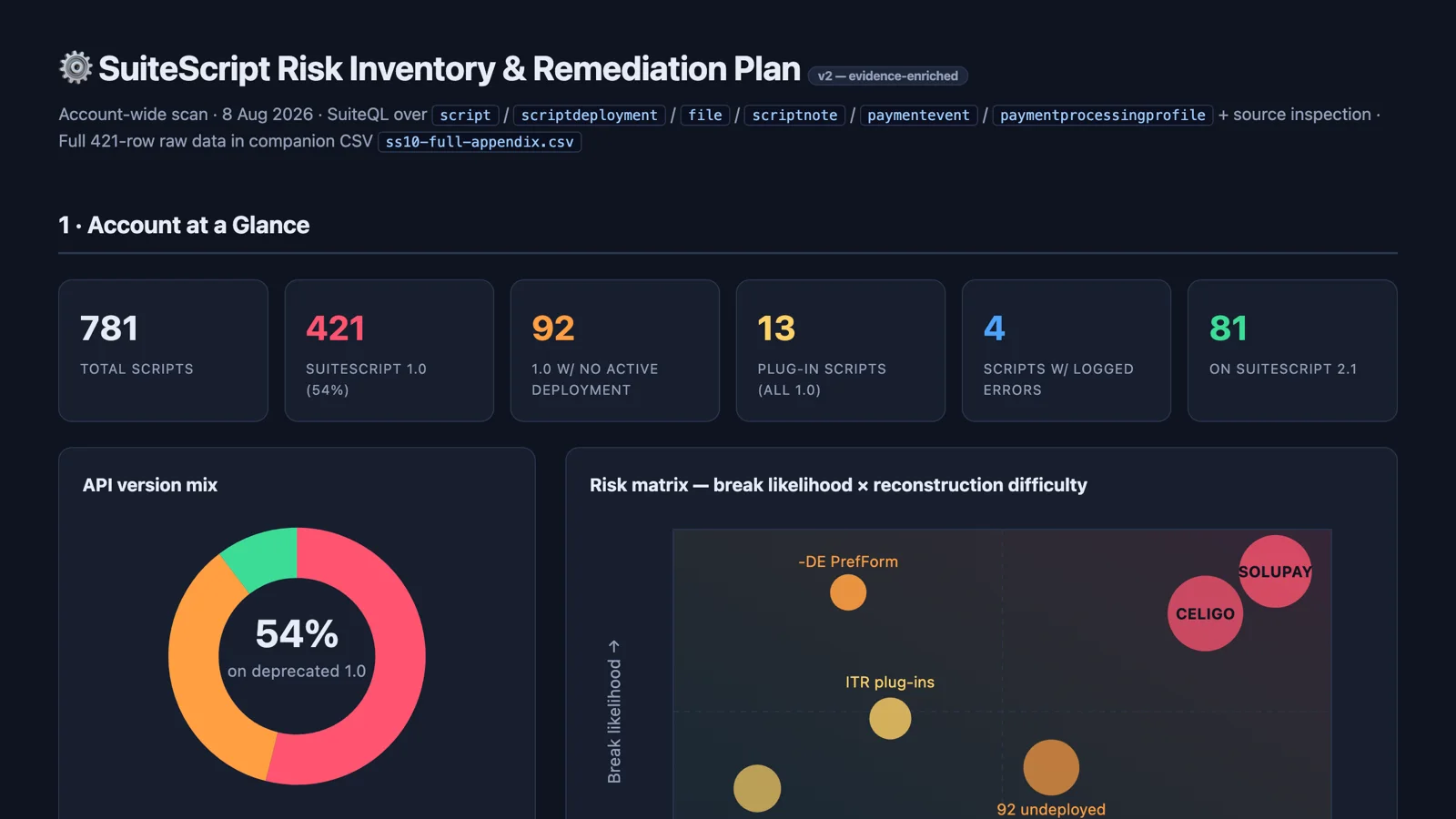
Sample report: SuiteScript Risk Inventory & Remediation Plan.
Script-Stacking Analysis asks a question that no deployment list answers directly: how many independent providers' scripts fire when a user saves one sales order, invoice, or vendor bill? It attributes every user-event and client script on those three record types to the bundle or team that owns it, resolves active and disabled state from live deployment metadata, and flags any record carrying more than three active user-event scripts.
In the test account, all three were flagged. Sales orders carried six active user-event scripts, invoices seven, vendor bills six, with five to six independent provider families firing on each save. The headline risk was three "monolith" script pairs, each deployed against all three record types, so that one bad change to any of them would break the whole order-to-cash and procure-to-pay surface at once. Two of those three families couldn't be attributed to any known provider.
Sample report: Script-Stacking Analysis: Core Transactions.
Custom Fields
These two prompts are a pair, and they're aimed at custom-field sprawl.
Native-Record Footprint Map is a field-by-field inventory of every custom field attached to the six core native records (customer, vendor, item, sales order, invoice, vendor bill), with each field attributed to the provider that owns it: a managed bundle, an in-house app, or test tooling. The question is how many independent hands are reshaping each core record.
In the test account, the answer was three or more on all six. Sales orders and invoices were each touched by ten distinct providers, across 255 verified field attachments from 16 providers. Twenty-two of the 45 custom fields on the customer record, nearly half, were test-tooling debris that served no business purpose. And one field on vendor records stored a plain-text credential. That last one is independent of the footprint question, but the sweep surfaced it, and the prompt's description says this is routine: it turns up what nobody was looking for.
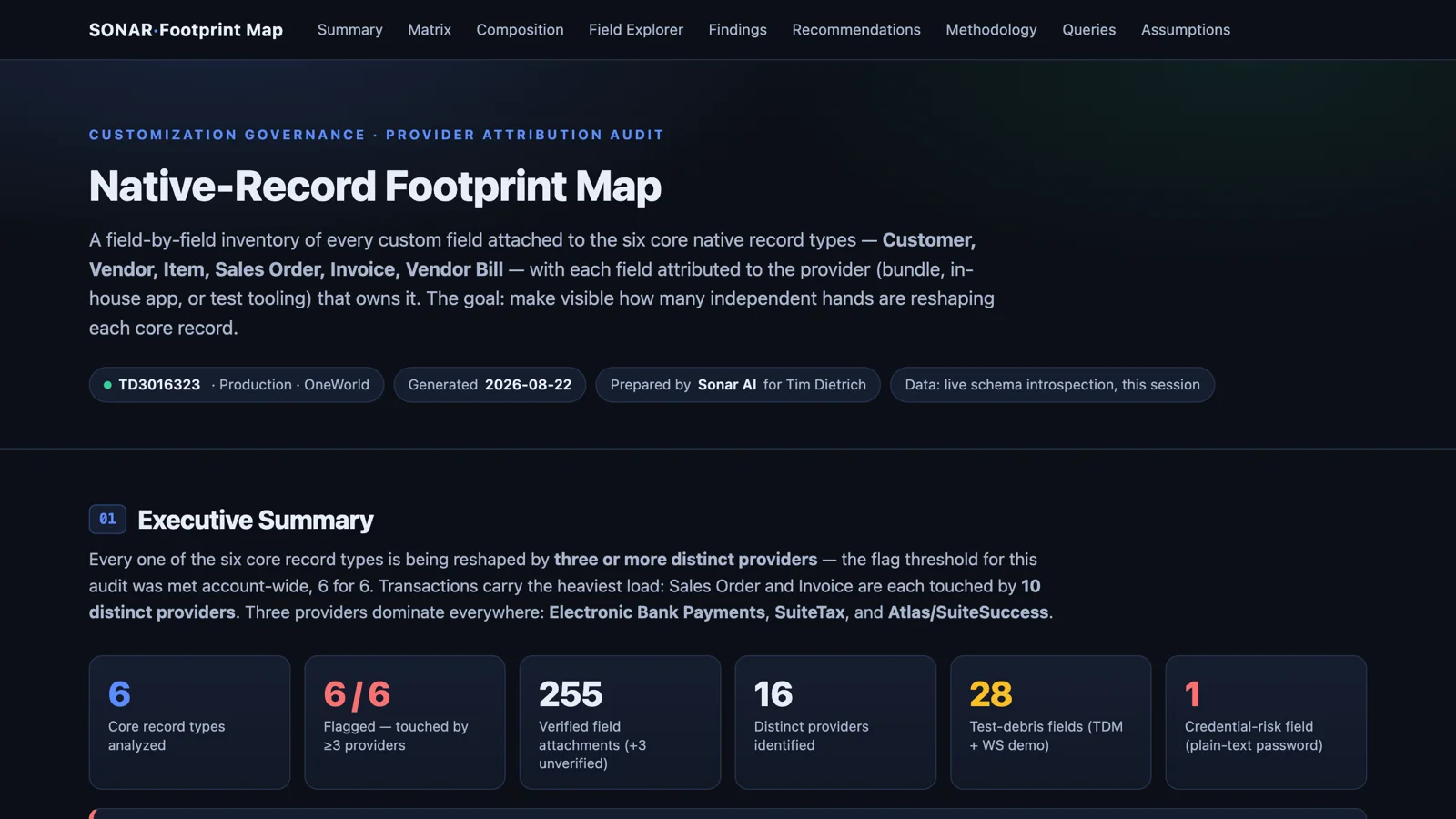
Sample report: Native-Record Footprint Map.
Redundant-Concept Detection Sweep takes that inventory and hunts for fields that store the same business concept under different names on the same record: email overrides, risk ratings, color and size attributes, external identifiers, packing instructions. Grouping candidates by name is the easy part. The prompt then interrogates live record data to sort every group along a spectrum, because the fix for "two fields, same values" is the opposite of the fix for "two fields, disjoint populations."
Twelve concept groups turned up in the test account: two active duplicates, three parallel silos, five latent groups, one complementary pair that looked redundant and wasn't, and one that couldn't be verified. The structural finding was color and size. Item color lived in one field on 80 items and in another field on 16 items, with zero overlap. Size split the same way. Any report or integration reading only one of those fields was silently missing part of the catalog, which is worse than duplication.
Sample report: Redundant-Concept Detection Sweep.
Health and Readiness
Proactive System Health Review is the broad one: an eight-domain audit covering script and automation hygiene, customization sprawl, workflow debt, data quality, period discipline, security and access, the file cabinet, and saved-search sprawl. Every finding cites live internal IDs and counts, and the output is a graded scorecard with a 30, 60, and 90-day remediation roadmap and a baseline CSV so the next run can show the delta.
The test account graded a D on script hygiene, and one script explained most of it. A scheduled script had thrown an authentication error on every run for a month, 1,254 errors in 30 days, because its API key was invalid. Fixing or disabling it was a fifteen-minute job that would remove 83 percent of the account's error volume. Elsewhere: six administrators, four of them on external domains; twelve accounting periods open and unlocked going back to the prior September; four workflows stuck in Testing, which means they silently do nothing for anyone but their owner; and 638 SuiteScript 1.0 scripts alongside 91 with zero deployments and 326 with only disabled ones.
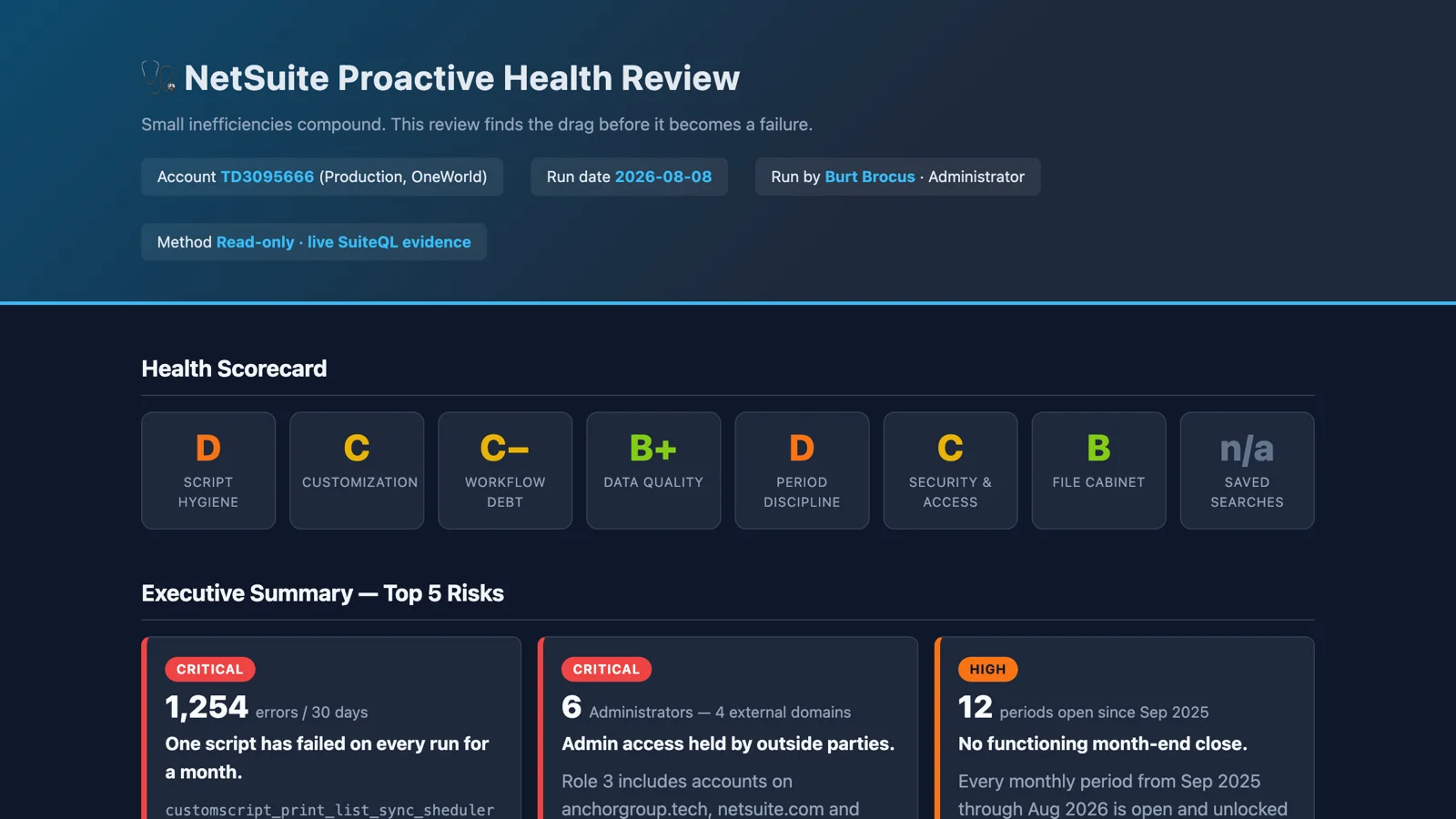
Sample report: NetSuite Proactive Health Review.
AI Data-Fitness Audit looks at the same instance from a different angle: is the data foundation ready for AI-enabled workflows and agents? It scores five pillars from live queries (audit-data density, stale-record hygiene, context on records and automations, GL dimension attribution, and manual-intervention visibility), grades each green, yellow, or red for AI impact, and traces every gap to its master-data source so that fixes land where they compound. The deliverable is a scored checklist with a re-measurement query appendix, which is the part I care about. Data fitness should be a monthly number, not a one-time cleanup project. This one has no sample report to share yet.
Governance
SOX / IPO Readiness Review tackles a project that normally takes consultants weeks: an assessment of the IT general controls that an external auditor will test in a first-year SOX 404 engagement. Access governance, segregation of duties, privileged and emergency access, change management, managed bundles, integrations, and SOC report oversight. It doesn't send questionnaires. It interrogates the live system, and every finding traces to a query that a skeptical auditor can re-run.
The conclusion for the test account was direct: a strong technical audit surface, but operating practices that would not survive a SOX 404 walkthrough today. The audit trail existed. The discipline around it didn't yet. None of the deficiencies were structural. The deliverable is a findings register with stable IDs, a section of verified strengths, a phased remediation roadmap, and a recurring evidence calendar, because a control that produces no evidence is indistinguishable from a control that doesn't exist.
Sample report: SOX & IPO Readiness Review.
Departed Employee Data Archaeology starts from an observation: when employees leave, their NetSuite footprint doesn't. Saved searches keep running. Scheduled scripts keep executing. Roles sit orphaned. Approval chains quietly break. The prompt runs a read-only forensic survey of everything former employees still own or anchor, across nine domains, and documents its blind spots alongside its findings.
In the test account, 20 employee records were inactive. The business data was in sound condition: no customer, case, task, or open approval depended on a departed employee, and five of the nine domains came back fully clean. Automation ownership was another matter. 213 active saved searches, 81 scripts, and about 100 live deployments were still owned by former staff, 294 orphaned assets in all, including four scheduled jobs that continued to execute under a departed owner. No approvals blocked, no access risk, but an accountability chain that nobody knew was broken.
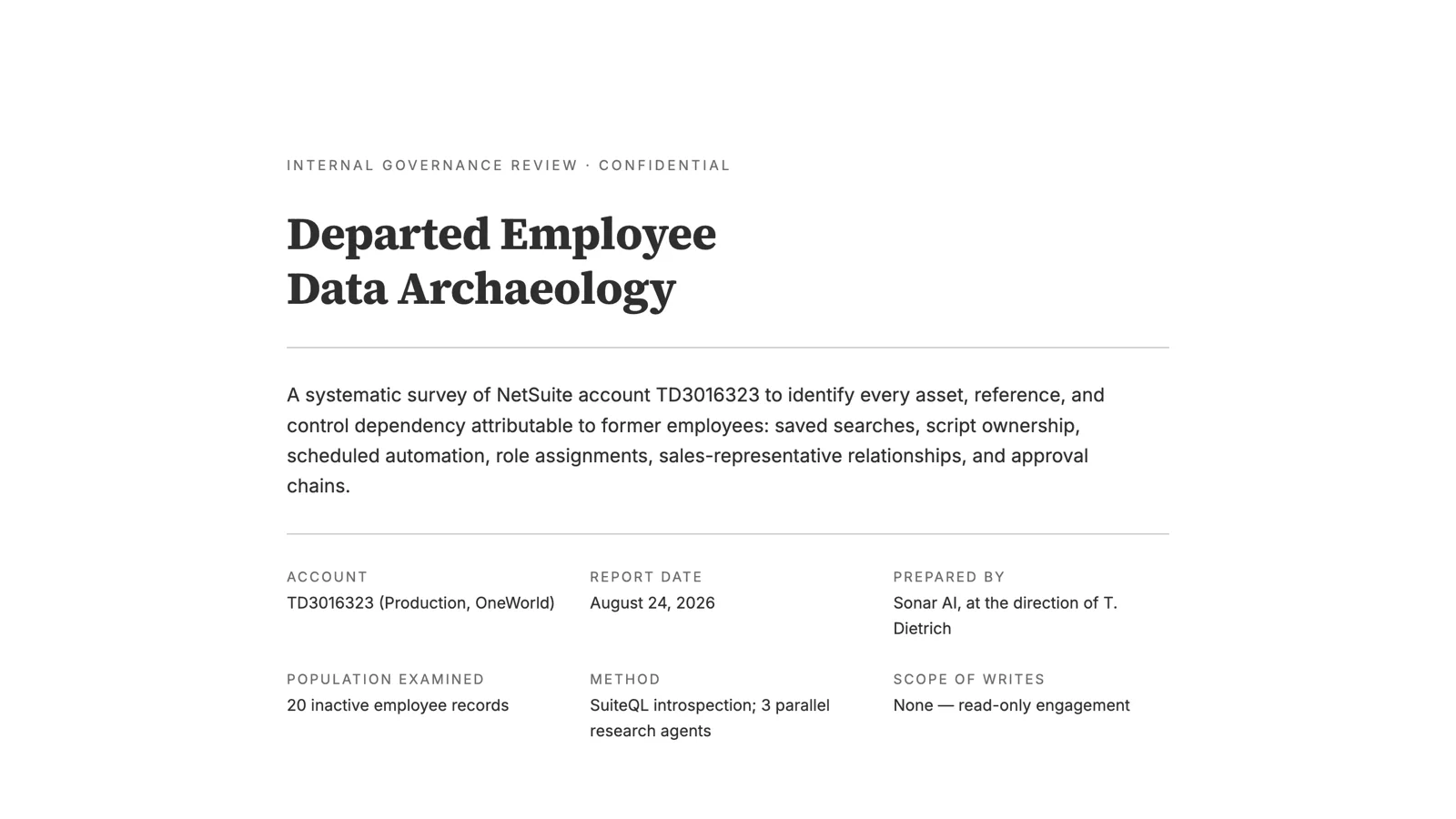
Sample report: Departed Employee Data Archaeology.
Wrapping Up
I've written before about technical debt in NetSuite, and the argument there was that the problem isn't carrying debt. It's not knowing how much you're carrying or where it's concentrated. These eight prompts are my attempt to make that knowable in an afternoon rather than a quarter.
The pattern across all of them is the same. The evidence was in the account the whole time, in the deployment tables, the error logs, the field definitions, the login audit, the employee records. What was missing was someone with the time to go and look. That's a good job for an agent that has read-only access and doesn't get bored.
All eight are in the paid tier of the Sonar AI Prompt Library. Look for SuiteScript Risk & Technical-Debt Inventory, Script-Stacking Analysis, Native-Record Footprint Map, Redundant-Concept Detection Sweep, Proactive System Health Review, AI Data-Fitness Audit, SOX / IPO Readiness Review, and Departed Employee Data Archaeology.