Most prompts in the Sonar AI Prompt Library hand you a report. You read it, you decide, you go do something. The eight prompts in this post are different. Three of them hand you a console you make decisions in. Three hand you a guide that settles an argument about where something belongs. And two reconstruct how your account actually works, from the evidence, rather than from what anyone remembers.
Two of the eight can write to NetSuite. I want to be careful about how I describe those, because the guardrails are the point.
If you're new to this, Sonar AI is an AI agent that runs inside NetSuite. Every prompt in the library is a playbook that I engineered and tested against live NetSuite data, and you run it inside your own account, against your own records.
Consoles
Every credit manager knows the drill. An order goes on hold, and the "review" means bouncing between four screens: the order, the customer's AR aging, their payment history, their credit limit. The Credit Hold Review Console assembles all of it into one interactive page, built live from your data. Every held order sits beside its customer's full context: aging bars, payment cadence, credit-limit utilization, total exposure, and a rule-based risk tier with the reason stated on the card.
You mark each order Release or Sustain, add a note, and generate a decision summary. And here's the part I care about most: the console itself doesn't touch NetSuite. It records intent. You paste the summary back into the Sonar chat, and each release runs there as a dry run first, shown to you as a before-and-after diff, and applied only after you approve it. The numbers on the console are reconciled against the customer master before they're displayed. In the test account, it found 13 held orders worth $55,892 across seven customers, with $261,945 of overdue receivables among those customers.
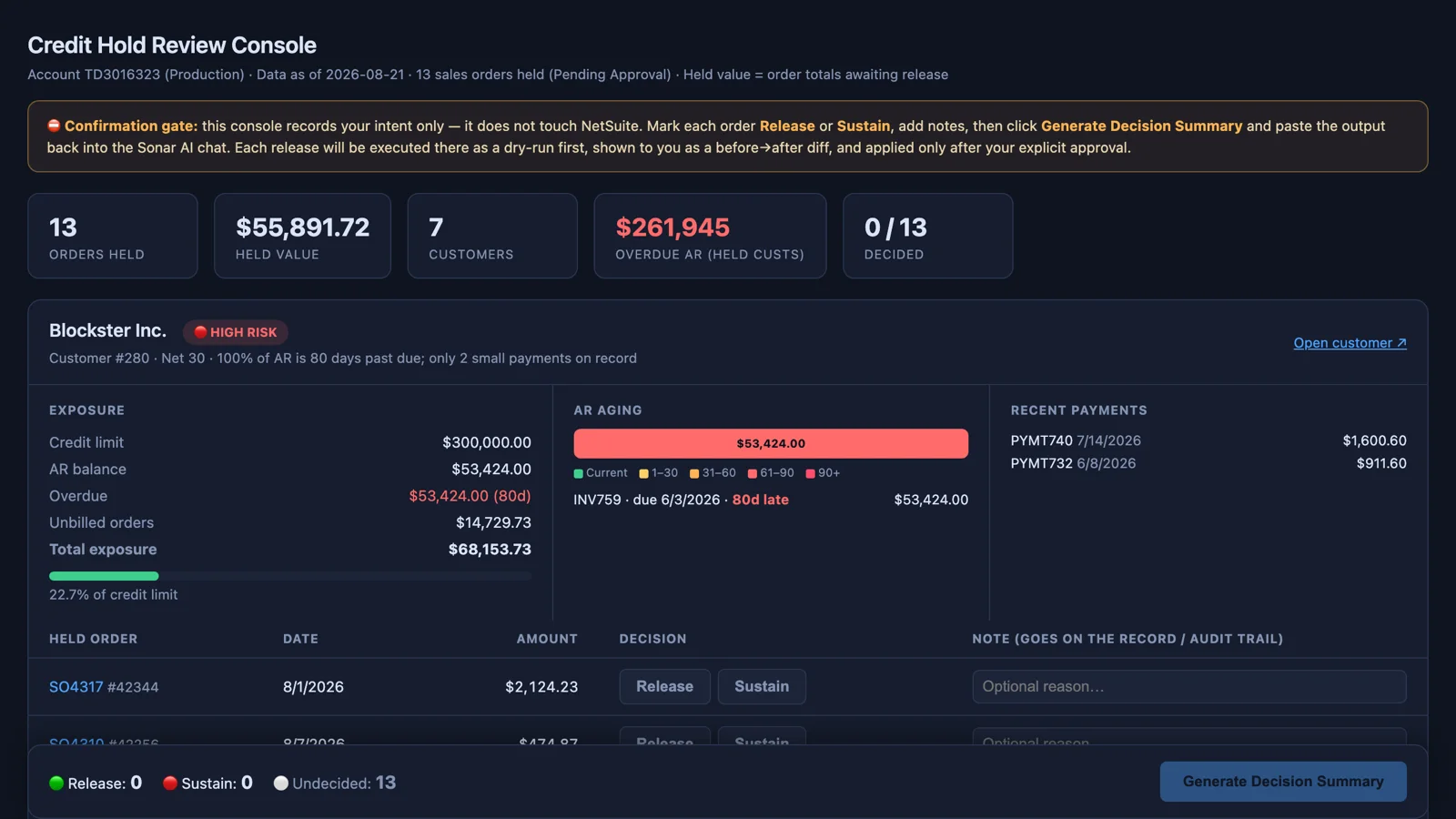
Sample report: Credit Hold Review Console.
The Vendor Bill Approval Console does the same thing for the accounts payable queue. It reconstructs the pending bills with true purchase order linkage, receipt status, and price-variance context from the raw transaction-link tables, and presents them in a console where approve and reject actions run through an itemized confirmation gate. This one is labeled a prototype on purpose: the actions are simulated, the data is real, and the design is meant to graduate into a Suitelet. I think that's the right way to prototype an approval screen. Build it against live data, watch people use it, and then make it permanent.
Sample report: Vendor Bill Approval Console: Interactive Prototype.
The Purchase Order Approval Console is the one that writes. It surfaces every PO awaiting approval with the context NetSuite's list view doesn't show, which is vendor track record, line-level detail, and price against history. Then, only for the POs you explicitly name, it executes the approval. The prompt's hard rules read like a controls policy, because they are one. Never approve anything in the same turn that lists the queue. "Approve all" is not a selection; the full list has to be enumerated and confirmed. One PO at a time, verified after each write, and on any failure the batch stops and reports exactly what succeeded and what didn't. If the account routes approvals through a workflow, the prompt uses the workflow rather than flipping a status field around it. And if you created one of the POs you're about to approve, it says so before the gate.
Order Document to Draft Sales Orders is the other write-capable prompt, and it's built the same way. It takes a customer's order document, whether that's PDF text, a CSV, an email paste, or a file in the File Cabinet, and turns it into staged draft sales orders. It calibrates itself to the instance first, because it assumes nothing about bundles, features, or field IDs. Item resolution is deterministic and logged per line. Every validation failure becomes an exception with a proposed disposition, never a silent fix. There are two hard gates: one after parsing, where you can edit or strike lines, and one per batch, where you see the dry-run previews before anything is created. And draft means draft. The orders land in pending approval, and the prompt never approves or fulfills.
Decision Guides
Every company running NetSuite alongside a CRM, a 3PL, or an ecommerce platform eventually asks the same question: which system should own this logic? The System Placement Decision Guide answers it with a method rather than an opinion. It builds a system inventory, an entity-level data ownership map where exactly one system holds the authoritative copy of each entity, a boundary-event flow with data contracts, and four ordered classification rules. Then it works through a set of verdicts that cover every verdict type, including a live violation with a remediation design, and closes with a six-step checklist a team can apply in a requirements meeting.
The sample was built for a company running Salesforce, NetSuite, and a 3PL warehouse. The rule that I think matters most is the first one in the inventory: a requirement is placed by matching what it does to a system's domain, not by where it's easiest to build.
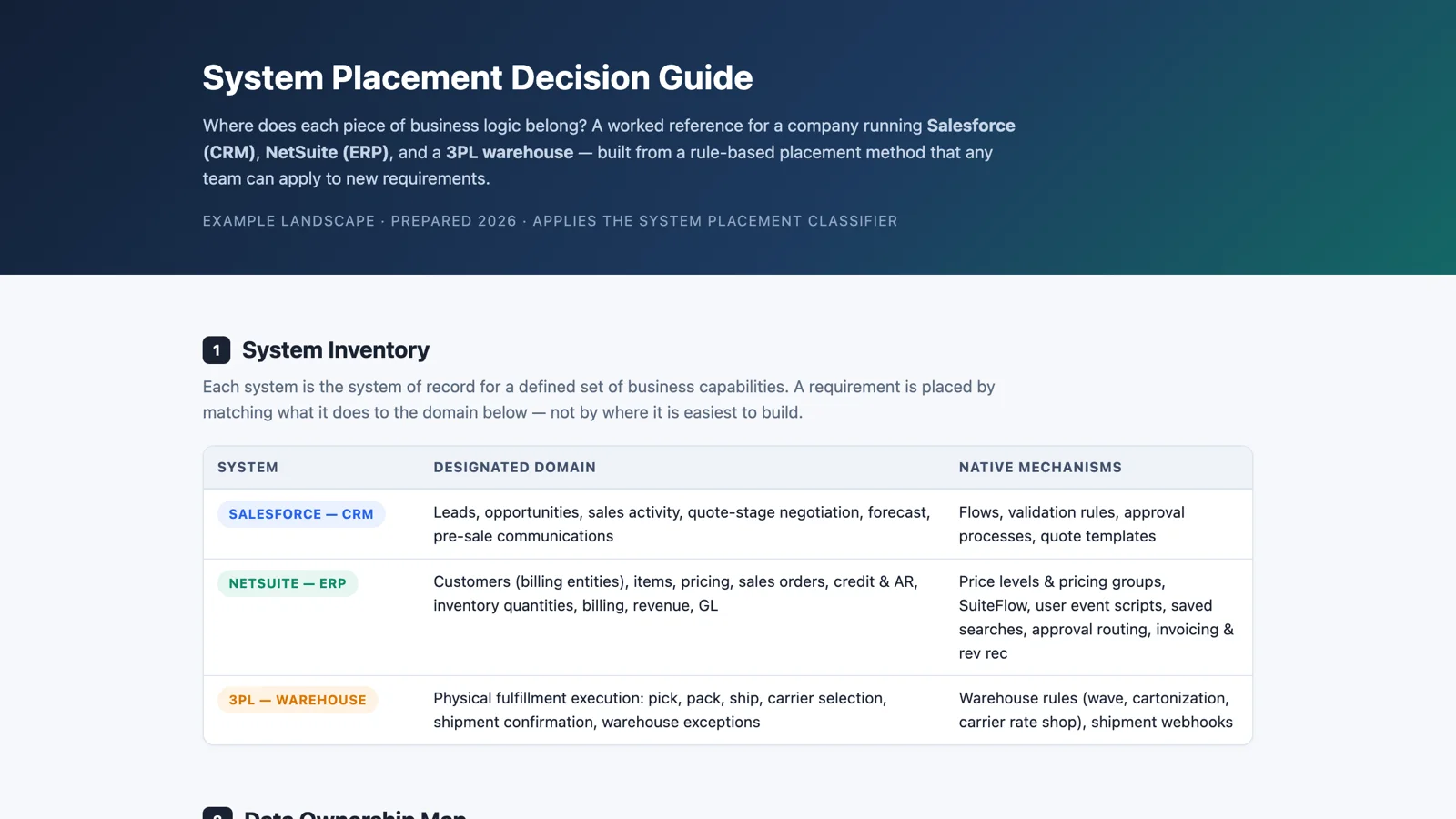
Sample report: System Placement Decision Guide.
"If we ever left NetSuite, what would that actually involve?" Every finance leader asks it eventually, and almost nobody has a data-backed answer. The ERP Migration Readiness Assessment profiles the instance from the inside: subsidiary structure, transaction volumes by process pipeline, the customization footprint, and the integration surface that makes or breaks any migration. It produces a requirements matrix where every line cites live evidence, a consider-and-avoid scorecard of candidate platforms, and a phased roadmap with a risk register.
In the test account, three findings dominated everything else. The account was a manufacturer-distributor, with work orders, assembly builds, wave picking, and lot tracking all in live use, so finance-first ERPs were disqualified on day one. The integration surface was the long pole: 465 RESTlets and 704 Suitelets meant that cataloging and re-pointing what depends on the account, not moving the data, would be the hardest part. And six subsidiaries across three countries made consolidation and localization non-negotiable. The realistic timeline came out at nine to eighteen months. The twist, which I put in the prompt on purpose, is that the assessment is just as valuable if you stay. A credible walk-away position is the best renewal negotiation tool there is.
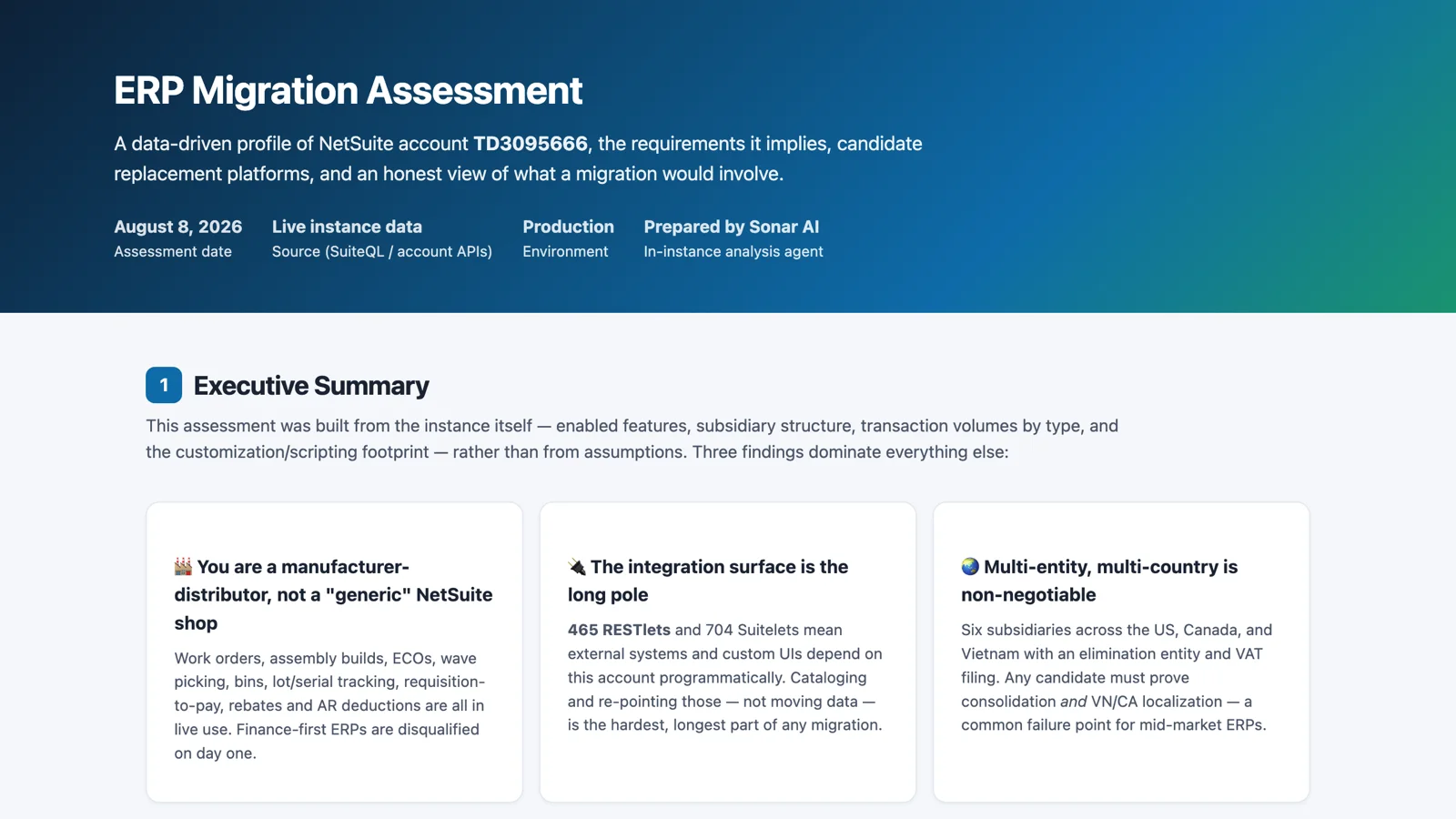
Sample report: ERP Migration Assessment.
Maps and Mining
The Integration Cartography Mapper draws every inbound and outbound data flow in the account as one topology diagram: RESTlets, scheduled scripts, integration applications, tokens, saved-search emails, and web-services users. It flags its own boundaries, meaning the places where the answer can't be fully determined from inside the account, such as the schedules on saved-search emails, which live on each search. In the test account, the only material custom inbound surface turned out to be twelve RESTlets serving a CPQ system, all deployed to every role and authenticated by token. The bundled SuiteApps accounted for roughly 469 more RESTlets that nobody had written. That's the kind of map you want before an audit, a migration, or a new hire.
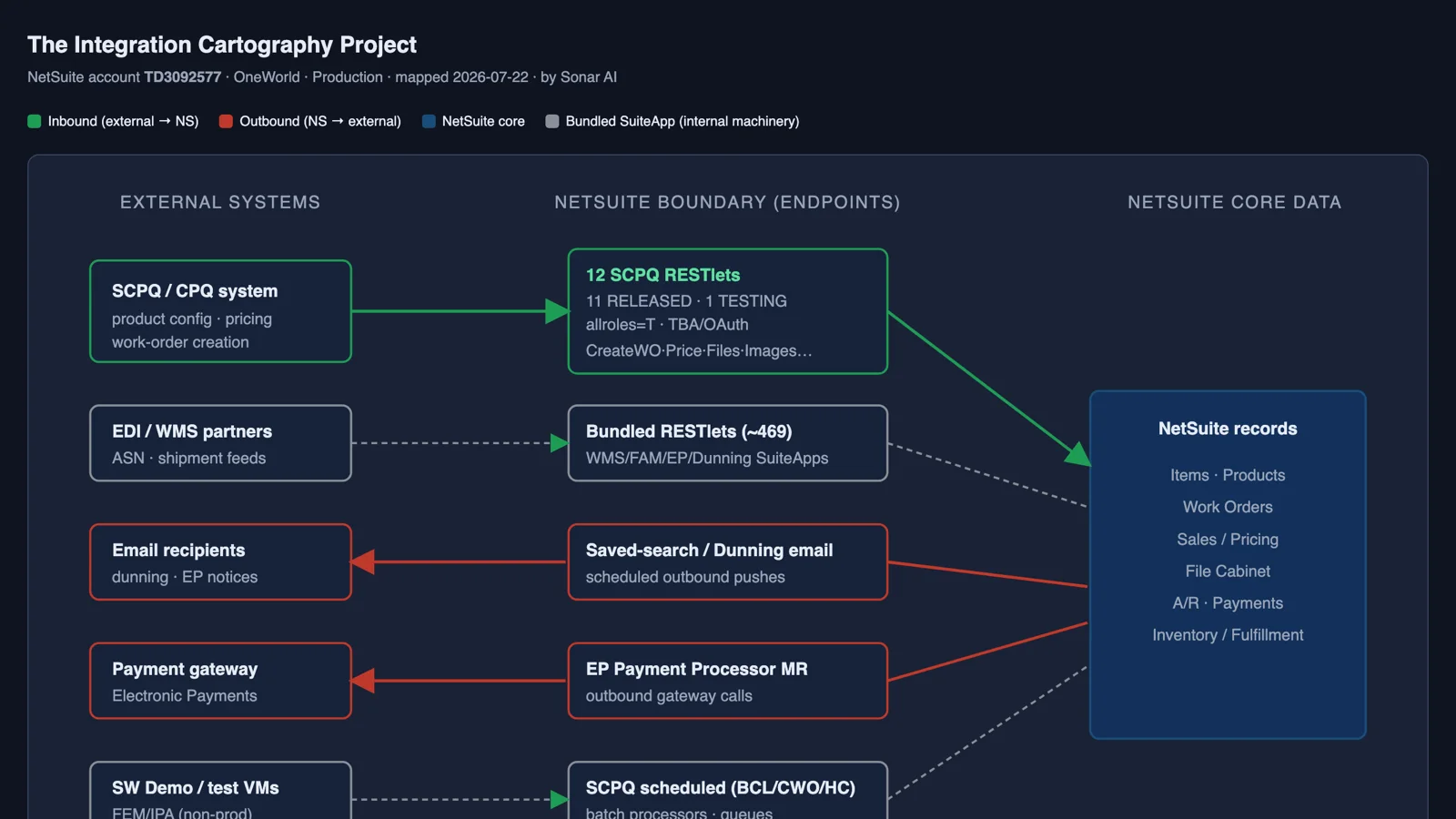
Sample report: The Integration Cartography Project.
Your NetSuite account already contains a complete event log of how orders, invoices, and payments move. It's buried in the document-link graph and the audit trail. Process Mining: Reconstruct Transaction Flows from the Event Log turns Sonar into a process-mining analyst. It rebuilds the real order-to-cash and procure-to-pay flows from those link events, measures them against the standard design, and surfaces what no dashboard shows: orders invoiced before goods shipped, shipments never billed, backlogs that appeared and self-cleared, return loops that stall before the credit memo, and aging queues with no owner.
The test account gave it 22,762 link events across 40 transition types. Operations were disciplined. Almost 96 percent of orders conformed to the ship-before-invoice sequence, and 88 percent of fulfilled orders shipped and invoiced the same day. The constraint wasn't operations. It was receivables. The open invoice queue was $964K at an average age of 128 days, with $473K more than 90 days past due, while vendor bills were being paid at a median of three days. The report calls that the working-capital asymmetry, and it's the kind of finding that only shows up when you look at both cycles at once. It also found 20 orders invoiced before they shipped and $4,837 shipped but never invoiced across eleven orders.
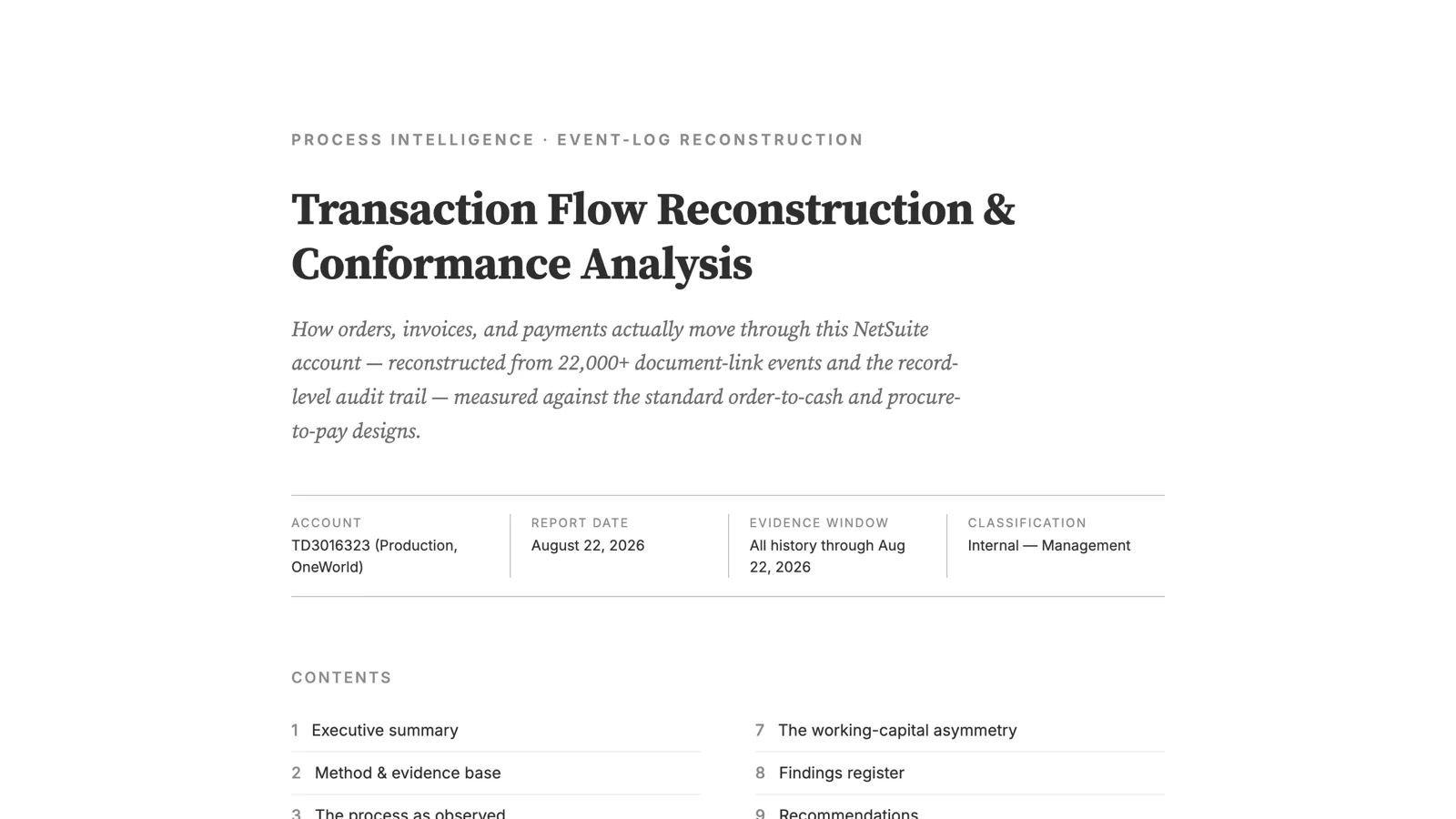
Sample report: Transaction Flow Reconstruction & Conformance Analysis.
Wrapping Up
I've written before that I came to AI reluctantly, and that the skepticism never fully left. The write-capable prompts in this post are where that shows. Both of them are built around the idea that the model can prepare a decision and a person makes it, with a gate between the two that can't be talked around. The consoles record intent. The approvals execute one at a time and verify after each. Nothing cascades.
All eight are in the paid tier of the Sonar AI Prompt Library: Credit Hold Review Console, Vendor Bill Approval Console, Purchase Order Approval Console, Order Document to Draft Sales Orders, System Placement Decision Guide, ERP Migration Readiness Assessment, Integration Cartography Mapper, and Process Mining: Reconstruct Transaction Flows from the Event Log.