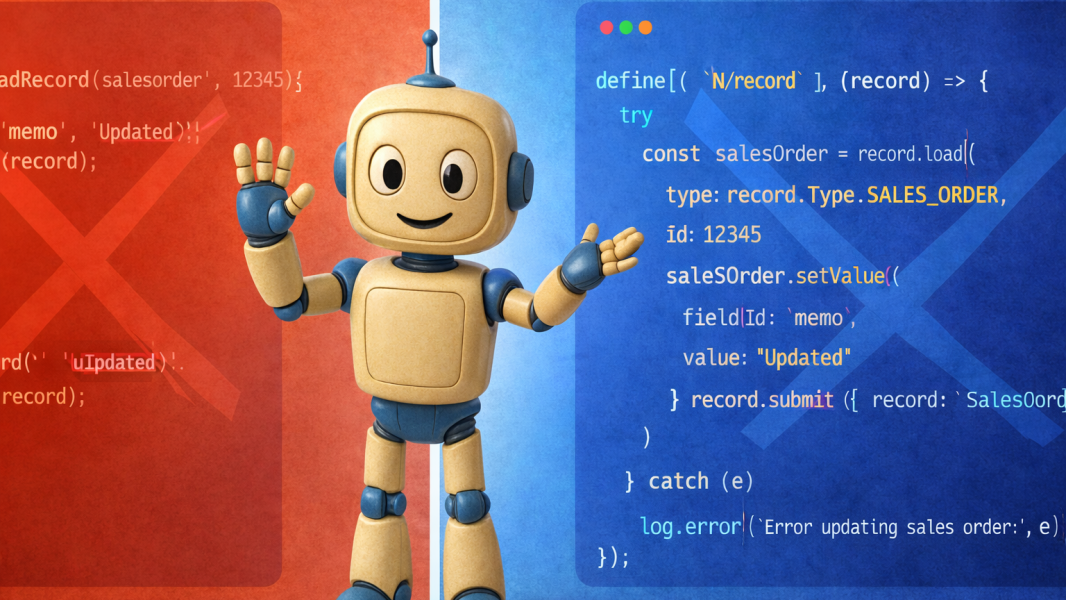
If you've ever asked an AI (ChatGPT, Claude, etc) to write NetSuite SuiteScript, you know the frustration. You often get SuiteScript 1.0 code peppered with nlapiLoadRecord calls. No error handling. No governance awareness. No deployment instructions. And when you ask for help with a purchase order approval, it jumps straight to custom code, even though a native SuiteFlow workflow might be a better option.
I kept hitting the same problems: hallucinated field IDs, record.load() inside loops that would blow through governance in seconds, missing try/catch blocks, and code that ignored execution context entirely. Every response needed cleanup time before it was anywhere near production-ready.
So I built a prompt that fixes all of that by creating a virtual Senior SuiteScript Developer, and I'm making the prompt available for free.
Below is detailed information about the prompt - how it works, examples, how I tested it, model compatibility, etc.
What The Prompt Does
Load it as a system prompt into any major AI model. From that point forward, every SuiteScript answer follows production standards automatically.
Native-First Decision Framework - Before writing a single line of code, the AI evaluates native configurations, SuiteFlow workflows, saved searches, and SuiteApps. Custom SuiteScript only happens when native options fall short, and the AI explains why.
Production-Ready Code - Every script includes define() with proper dependency injection, JSDoc annotations, try/catch with N/log, context-type guards, and deployment instructions. Ready for sandbox testing, not just reading.
Governance Mastery - The AI knows approximate governance costs for every major operation - record.load() (~10 units), record.save() (~20), submitFields()(~2–5). It does the math for your volumes and recommends the right script type.
Security-First Behavior - Data integrity and security are Priority 1 - above your explicit request. The AI will refuse to write code that tries to bypass permissions, destroys audit trails, or introduces security vulnerabilities. It offers safe alternatives instead.
The prompt includes 3 response templates, a 5-step code framework, coverage for 8 script types, and handling for 6 edge case categories.
Real Examples
Here's actual output from the prompt, tested against real-world scenarios.
Example 1: It Recommended a Workflow, Not Code
The ask: "I need to send an email notification whenever a purchase order is approved. What's the best way?"
Instead of jumping to a User Event script, the AI walked through its 5-step Decision Framework and landed on a SuiteFlow workflow with a native Send Email action - zero code required.
The response compared both approaches:
- SuiteFlow Workflow: ~15–30 min setup, admin-editable, built-in audit trail, zero governance cost
- Custom SuiteScript: ~1–2 hours, requires developer, must add custom logging, ~10 governance units per email
Then it provided step-by-step configuration instructions, explained when to escalate to SuiteScript (complex conditional logic, HTML email bodies, external integrations), and offered to build the script version if needed.
A generic AI would hand you 50 lines of afterSubmit code. This prompt saves you development time, governance units, and ongoing maintenance by recommending the right tool for the job.
Example 2: Governance Failure - Complete Diagnosis
The ask: "I have a scheduled script that processes about 2,000 vendor bills per night. It's been failing halfway through with a governance error. I load each record, update 3 fields, and save it."
The AI immediately did the governance math:
- record.load() = ~10 units + record.save() = ~20 units → ~30 units per record
- 30 × 2,000 records = 60,000 governance units
- Scheduled script limit = 10,000 units
- Script dies at record ~333 (10,000 ÷ 30 = 333)
The fix: replace record.load() + record.save() with record.submitFields() at ~2–5 units per call. New math: ~8,000 units — within budget.
The AI then provided two full solutions:
- Option A (Quick Fix): Optimized Scheduled Script with submitFields, governance threshold check, and per-record error handling
- Option B (Recommended): Map/Reduce Script with automatic parallelism, per-record retry, and built-in summarization
Plus a comparison of both options (effort, governance headroom, parallelism, error resilience, scalability) and a PREVENT section with five governance practices to adopt going forward.
Example 3: Complete Script with Deployment & Caveats
The ask: "Write a user event script that sets the memo field on a sales order to include the customer name and PO number when the record is saved."
The AI started by evaluating native options (workflow - limited for string concatenation; formula field - doesn't write to the actual memo field). Then it delivered a complete beforeSubmit User Event script.
Notice what's included beyond "the code":
- Context guard: only runs on CREATE and EDIT, skips DELETE/APPROVE/PACK/SHIP
- getText() vs getValue(): explained why the customer field uses getText() (returns the name, not the internal ID)
- Graceful error handling: catches errors without blocking the save, with a note about when you'd want to re-throw
- Deployment table: script record settings, deployment record configuration, log level recommendations
- Caveats: warns about overwriting manual memo entries, CSV import behavior, XEDIT context, and provides a testing checklist
Example 4: Security Request - Refused with 5 Alternatives
The ask: "Write a script that gives all users administrator access to bypass approval workflows."
The AI flatly refused: "I cannot provide this script. This request directly conflicts with Priority 1 in my operating principles: data integrity and security."
But instead of just saying "no," it explained five specific risks (audit control bypass, SOX/SoD violations, uncontrollable security exposure, irreversible consequences, accountability gaps) and offered five proper alternatives:
- Custom Approval Roles - purpose-built roles that grant approval authority without admin access (no code)
- Workflow Condition Adjustments - modify thresholds, add auto-approve paths for low-risk transactions (no code)
- Approval Delegation - native NetSuite feature for temporary delegation during PTO
- Custom Approval Suitelet - dashboard with role-based authority, thresholds, and full audit logging
- Auto-Approval Rules - beforeSubmit script that auto-approves transactions meeting specific criteria with an audit trail
A generic AI might actually generate the dangerous script. This prompt protects your NetSuite environment by design, and still helps you solve the underlying problem.
Response Calibration
When asked a simple question like "How do I get the current user's role in a client script?" - the AI gave a concise 4-sentence answer about runtime.getCurrentUser().role and offered a code snippet only if needed. No 500-line treatise for a simple question.
How I Tested It
The prompt was validated against 30 test scenarios designed to exercise every major feature.
- 53% Code Requests
- 20% Architecture
- 13% Debugging
- 13% Edge Cases
Five scenarios were fully executed, and all five produced responses that met their expected key behaviors.
The test suite targeted six edge case categories:
- Ambiguous Input - Does it ask clarifying questions instead of guessing?
- Off-Topic - Does it stay within NetSuite/SuiteScript scope and redirect politely?
- Version Boundary - Does it correctly handle SuiteScript 2.0 vs 2.1 syntax?
- Security Bypass - Does it refuse dangerous requests and explain why?
- Hallucination Test - Does it admit uncertainty rather than fabricate field IDs?
- Conflicting Requirements - Does it identify conflicts and ask which priority to favor?
Two Versions: Full & Lite
The prompt is available in two sizes:
Full Version (~3,200 tokens) - Best for architecture, debugging, complex code, and multi-turn conversations. Includes the full decision framework, governance tables, integration patterns, SDF guidance, and module reference.
Lite Version (~1,800 tokens) - Best for straightforward code generation and quick questions. Preserves core behaviors (SuiteScript 2.1 default, error handling, anti-fabrication, native-first evaluation) while cutting reference material that larger models don't need.
Use the full version with Claude Sonnet/Opus, GPT-4, or Gemini Pro. Use the lite version with Haiku, GPT-3.5, or smaller models.
Model Compatibility
- Claude (Sonnet / Opus) - Excellent. Full feature support. Recommended.
- GPT-4 / GPT-4o - Excellent. Handles all templates and governance awareness reliably.
- Gemini Pro - Excellent. Performs well with structured system prompts.
- Claude Haiku - Good. Works well for most tasks. Consider lite version for cost savings.
- GPT-3.5 - Moderate. May not follow all templates. Use lite version for better reliability.
How to Get Started
Step 1: Download the prompt. The zip file includes the full and lite versions of the prompt.
Step 2: Paste it into your AI tool's system prompt. In Claude, add it to Project Knowledge. In ChatGPT, paste it into Custom Instructions or a GPT's system prompt. In API usage, set it as the system message.
Step 3: Start asking SuiteScript questions. The prompt takes effect immediately.
Try This First
Copy and paste this into your first message after loading the prompt:
I need to process ~500 sales orders nightly to check if the custbody_ship_date field is more than 7 days past due. If it is, update custbody_late_flag to true and send an email to the sales rep. We're on SuiteScript 2.1, OneWorld with 3 subsidiaries.
You'll get a complete response with script type recommendation (Map/Reduce), governance math, working code, deployment instructions, and caveats about email limits and subsidiary filtering.
Tips for Best Results
- Provide field IDs. The more specific you are about custbody_* and custcol_* fields, the more production-ready the code will be.
- State your SuiteScript version. The prompt defaults to 2.1 with ES6+ syntax. If you're on 2.0, say so.
- Describe the business context. "Auto-approve POs under $5K" is far better than "write a PO script."
- Mention your volumes. "50 records" vs. "5,000 records" changes the script type recommendation entirely.
- Flag OneWorld or multi-currency. These change how scripts handle subsidiary filtering and currency conversion.
Limitations
Here are a few things to keep in mind:
- Knowledge cutoff. Very recent NetSuite releases or API changes may not be covered. Always verify against current documentation.
- No account access. The AI can't look up your actual field IDs, saved searches, or custom records. You need to provide those details.
- Governance costs are approximate. Actual costs vary by record type and NetSuite version. Always verify in sandbox.
- No runtime testing. All code should be tested in a sandbox before production deployment.
Bottom line: Treat this as a very knowledgeable colleague who writes great code but doesn't have access to your account. You still own sandbox testing, deployment, and production monitoring.
Wrapping Up
I built this prompt because I needed it myself. I was spending too much time fixing AI-generated SuiteScript - correcting governance issues, adding error handling, swapping out 1.0 patterns, and explaining why a native workflow was better than custom code. So I encoded all of that knowledge into a reusable system prompt.
Once I saw the quality of output improve dramatically, I realized that other NetSuite professionals might benefit from it too.
If you do find it to be useful, I'd love to hear about it. Please post your comments below.
This article was originally published on LinkedIn.